Feature Steering
Feature steering modifies feature activations by adding scaled versions of the feature's decoder weights, rather than overwriting the activation outright. Where clamping forces a feature to a fixed value, steering nudges it in a chosen direction by a chosen amount.
Steering is more continuous or gradual in nature: you can apply varying degrees of steering strength and watch the model's behavior shift smoothly rather than flip between two states. It is used to actively influence model behavior in a particular direction, and it maintains more of the model's natural dynamics, since it adds to the existing activation instead of replacing it.
Clamping vs. steering
- Feature clamping: sets a feature activation to a specific value. More binary and absolute — you force the feature into a particular state, often to diagnostically test an interpretation by turning it off or maxing it out.
- Feature steering: adds a scaled version of the feature's decoder weights to the activation. More continuous and gradual — you can dial the strength up or down, and the model's natural dynamics are preserved since you're adding to activity rather than overwriting it.
There are many ways to steer a model. Here is one common recipe, applied to each feature being steered:
- Multiply the steering strength by the strength multiple to get the steering coefficient.
- Get the steering vector from the SAE, which is the feature's decoder weights.
- Add the steering coefficient times the steering vector to the activations.
Steering recipe, in code
steering_coefficient = strength_multiple * steering_strength
steering_vector = sae.W_dec[feature_index]
activations += steering_coefficient * steering_vectorSteering intervention
is the original activation, is the feature's decoder direction (the steering vector), and is the steering coefficient that controls intervention strength.
Clamp or Steer a Feature
Intervene on a learned Golden Gate Bridge feature. Clamping overwrites its activation. Steering adds a scaled decoder direction to the model's existing state.
feature activation = 0.700
Change steering strength and watch both the target behavior and an unrelated behavior.
Product uses of feature steering include style control, reducing a known failure mode, and reinforcing a safety-relevant behavior. Strong steering can still push the model outside its normal operating range, causing repetition or bizarre spillover into unrelated behavior — a useful steering curve includes small, medium, and excessive values so you can see where that spillover begins.
What result would make you doubt that a direction cleanly represents formal writing style?
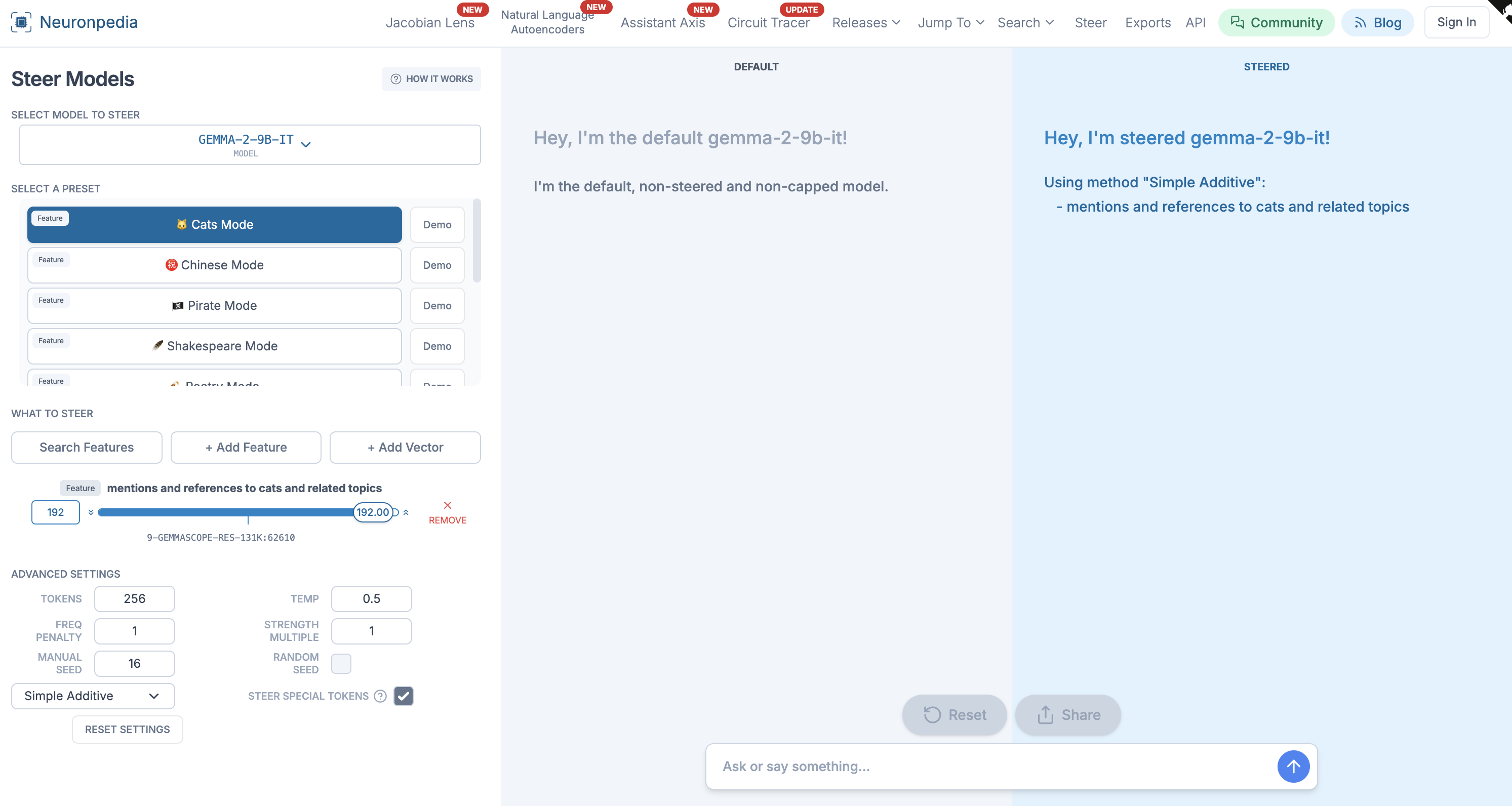
Neuronpedia
Steer Gemma-2-9b-it
Pick SAE features from a large-scale dictionary on Gemma-2-9b-it, set steering strength, and compare generations in real time.
See scaled SAE features deployed as live steering controls on a production-size model.
Steering these features gradually, rather than clamping them to an extreme, lets you ask a sharper question than “does this feature matter at all?” You can trace how much steering strength it takes before unsafe code starts to appear, whether that shift is smooth or sudden, and whether steering one feature up quietly steers a correlated feature along with it. That graded picture is what informs decisions about monitoring or intervening on these features in a deployed system, where the goal is rarely an all-or-nothing switch.
A steering vector does not have to come from an SAE decoder. It can also come from a difference between average activations, or another learned direction. The source affects what the vector means and how cleanly it behaves.